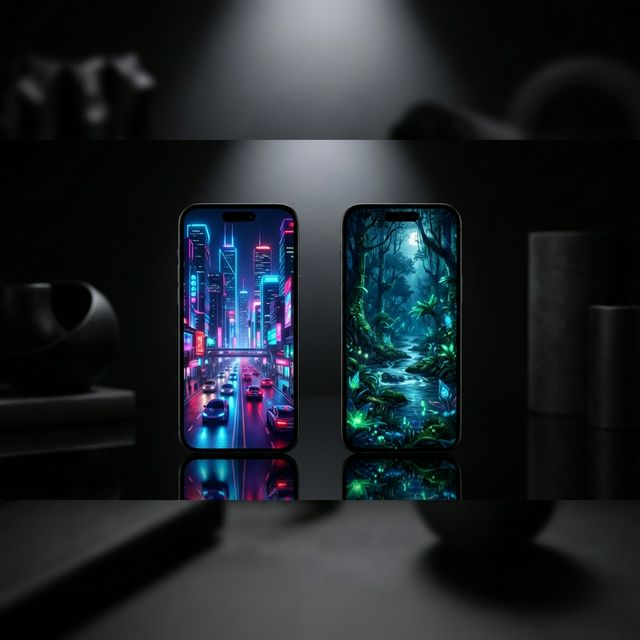
If you've been looking for an animated wallpaper solution in 2026, two names come up most often: VisionAI and Wallpaper Engine. They're both popular, both produce visually impressive results, and both support multiple platforms. But they solve fundamentally different problems.
This comparison explains exactly what each tool does, where each excels, and which one is the right choice depending on what you want to do.
What Each Tool Actually Does
VisionAI is an AI-powered image-to-video platform. You bring a still image — your own photo, AI-generated art, an illustration — and VisionAI animates it into a seamless looping video. The focus is on generating your own animated wallpaper from any source image. Available at visionai.to and as an Android app on Google Play.
Wallpaper Engine is a wallpaper player and community platform. You use it to run complex animated wallpapers created by other people — scenes built with particle systems, 3D engines, CSS, video, or hand-drawn animation — downloaded from its Steam Workshop. You don't create wallpapers with Wallpaper Engine; you run them. Available on Steam for Windows, with a companion Android app.
This distinction matters: VisionAI creates. Wallpaper Engine plays.
Feature Comparison
| Feature | VisionAI | Wallpaper Engine |
|---|---|---|
| Animate your own images | Yes — core feature | No |
| AI image-to-video generation | Yes | No |
| Community wallpaper library | Yes (Marketplace) | Yes (Steam Workshop — very large) |
| Android app | Yes — full creation + playback | Yes — playback only (requires PC) |
| Windows support | Via export + Lively/WE | Yes — native player |
| macOS support | Via export + third-party | No |
| iOS support | Via export + conversion | No |
| 4K output | Yes (upscale workflow) | Depends on wallpaper |
| Custom content from your images | Any image you own | Not supported |
| Pricing model | Credits per generation | One-time purchase |
Platform Support
Android
VisionAI has a dedicated Android app that handles the complete workflow: upload an image, generate the animation, and set it as your live wallpaper — without leaving the app. It's the only solution that lets you turn your own photos into live wallpapers directly on your Android device.
Wallpaper Engine has an Android companion app, but it requires pairing with a PC running the desktop version via Wi-Fi. The Android app transfers wallpapers from the PC to your phone — it doesn't work standalone without the PC client.
For Android users, VisionAI is the significantly more convenient option.
Windows
Wallpaper Engine is the dominant choice on Windows. It's a native PC application with deep system integration, low resource usage, performance scaling, and access to hundreds of thousands of community-made wallpapers on the Steam Workshop.
VisionAI doesn't have a Windows desktop player. You generate your wallpaper with VisionAI and then use a separate free application — Lively Wallpaper (free, open source, available on the Microsoft Store) — to set the MP4 as your desktop background. It works well, but it's a two-step process.
For Windows desktop wallpapers, Wallpaper Engine's native experience is hard to beat — but VisionAI gives you something Wallpaper Engine can't: your own images animated.
macOS and iOS
Wallpaper Engine doesn't support macOS or iOS. VisionAI generates MP4 files that can be used with third-party macOS wallpaper tools and converted for iOS live wallpapers.
Content and Customization
VisionAI — Your images, animated
The core proposition is unique: any image you already own can become a live wallpaper. Your travel photos, your favorite AI-generated art, commissioned artwork — VisionAI generates a motion-synthesized version that loops seamlessly.
You control the animation through a text prompt (describe the motion you want) and duration (5 seconds at 1 credit, or 10 seconds at 2 credits). The AI handles everything else.
The VisionAI Marketplace also offers community-created animated wallpapers available for one-time purchase — so you can browse and buy ready-made content alongside creating your own.
Wallpaper Engine — The world's largest animated wallpaper library
The Steam Workshop for Wallpaper Engine contains hundreds of thousands of wallpapers across every conceivable style: anime, gaming, nature, abstract, interactive, video, 3D scenes. The scale of the community library is unmatched.
However, you're limited to what others have made. You cannot take your own photo and animate it in Wallpaper Engine. The tool is a player, not a creator.
Pricing
VisionAI uses a credit system:
- 3 credits — $9.99
- 10 credits — $19.99
- 30 credits — $39.99
- 80 credits — $79.99
Each generation costs 1 credit (5 seconds) or 2 credits (10 seconds). Credits don't expire. You pay per creation, not per month.
Wallpaper Engine is a one-time purchase on Steam (Windows desktop client). The Android companion app is a separate one-time purchase. There are no ongoing subscription fees, but all content comes from the community — you're paying for the player and Workshop access, not for generation.
Which Should You Choose?
Choose VisionAI if:
- You want to animate your own photos or artwork
- You use Android as your primary device
- You want AI-generated motion synthesis rather than pre-made content
- You use macOS or iOS (Wallpaper Engine doesn't support these)
- You care about a unique, personalized wallpaper nobody else has
Choose Wallpaper Engine if:
- You primarily use Windows and want a full-featured desktop wallpaper experience
- You want to browse a massive library of free community wallpapers
- You don't need to create from your own images
- You want interactive wallpapers (mouse-reactive, music-visualized)
Use both if: The ideal setup for many users: generate your wallpaper with VisionAI (your photo, AI quality), then set it on Windows using Lively Wallpaper or Wallpaper Engine's video support, and on Android directly with the VisionAI app. You get VisionAI's personalization and AI quality, plus Wallpaper Engine's desktop polish.
Summary
VisionAI and Wallpaper Engine aren't really competing for the same use case. Wallpaper Engine is about consuming a large existing library of animated wallpapers. VisionAI is about creating animated wallpapers from your own images.
If you've ever looked at a photo you love and wished it could move — that's exactly what VisionAI is for. Download the Android app and try it with the first photo that comes to mind.
See also:
- Best AI Wallpaper Generators in 2026
- How to Set a Live Wallpaper on Android with VisionAI
- How to Create AI Animated Wallpapers from Any Image
Create Your First Live Wallpaper
Transform any image into a stunning animated live wallpaper in seconds — no design skills required.
Get started