There is no better source material for AI animation than nature. Wind through a forest. Waves rolling onto a shore. Clouds building over a mountain range. A waterfall catching the afternoon light. These are motions the AI understands intuitively — and the results on an Android lock screen or home screen are breathtaking.
This guide shows you how to turn your own nature photos — or any landscape image you love — into seamless, looping animated live wallpapers using the VisionAI Android app.
Why Nature Animates Better Than Any Other Subject
Nature photography has properties that make it ideal for AI image-to-video animation:
- Expected motion — The AI has strong priors for how leaves move, how water flows, how clouds drift. It doesn't have to invent motion; it finds it.
- Organic irregularity — Slight variation in natural motion (not all leaves move at exactly the same speed) is what the AI generates by default — and it looks natural because it is natural.
- Forgiving to artifacts — Minor warping in a forest canopy is invisible. The same artifact in a building or a face is immediately noticeable.
- Infinite looping — Natural environments are inherently cyclical. Water flows, wind blows, clouds move — all of these loop naturally without a visible start or end point.
The practical result: nature images produce the highest success rate on the first generation attempt.
The Best Nature Categories for Live Wallpapers
Forests and Trees
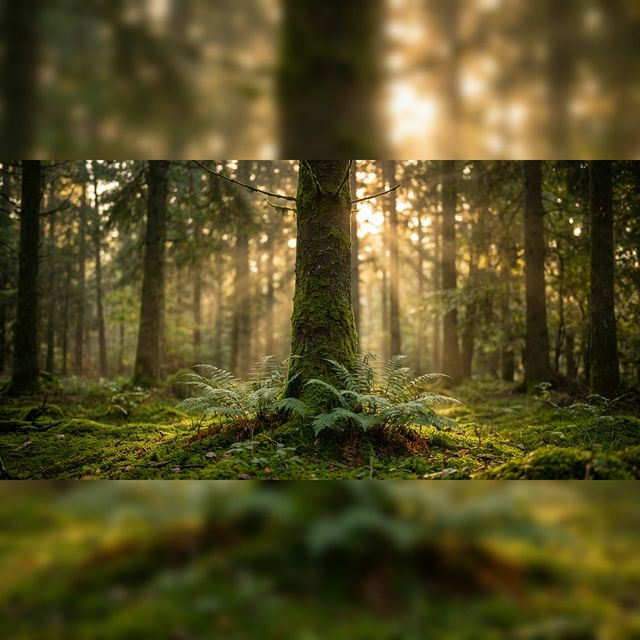
Forest canopies responding to wind are among the most satisfying animated wallpapers. Light filtering through moving leaves creates a dappled, constantly shifting pattern that looks stunning behind dark-mode Android UI.
What works best: Looking-up shots (through the canopy toward sky), forest paths with depth, single-tree compositions in wind.
Prompt: "Wind moving gently through the leaves, light rays filtering through the canopy, slight sway in the branches"
Oceans and Water
Water in motion is the most universally loved animated wallpaper subject. From gentle ripples to crashing waves, every form of water animation produces reliable, beautiful results.
What works best: Wave-to-shore shots, calm lake surfaces with reflections, aerial ocean shots, waterfall compositions.
Prompt for calm water: "Water rippling softly, light reflections shimmering on the surface, subtle flow toward the shore"
Prompt for ocean waves: "Waves rolling in slowly, foam spreading across wet sand, spray lifting briefly at the crest"
Mountains and Sky
Mountain landscapes work best when the sky is included — clouds passing, light changing, atmosphere shifting. A static mountain with a static sky animates poorly; include movement potential in the frame.
What works best: Mountain vistas with sky and clouds, golden hour peaks with light movement, mist in a valley.
Prompt: "Clouds drifting slowly past the peaks, light shifting across the slopes, mist rolling through the valley below"
Sunsets and Golden Hour
Warm directional light is what the AI does best. Golden hour images — where light rakes across a scene at a low angle — animate with beautiful light drift effects that no other time of day can match.
What works best: Silhouette landscapes, open fields at sunset, coastal sunsets with water, tree lines against a glowing sky.
Prompt: "Light shifting warmly across the scene, distant clouds drifting, subtle color transition in the sky"
Rain and Storms
Rain scenes and approaching storms are some of the most dramatic animated wallpapers. The combination of falling rain, moving clouds, and atmospheric tension is uniquely cinematic.
What works best: Rain on a window pane, stormy sea, dark clouds over a landscape, rain on a forest canopy.
Prompt: "Rain falling steadily, drops hitting the surface, dark clouds moving in the distance, wind in the trees"
Step-by-Step Guide
Step 1: Choose and prepare your image
Your own nature photos work perfectly. Shoot in:
- Golden hour for the best light animation
- Overcast diffuse light for moody forest shots
- Long exposure for silky water (the AI will make it flow even more naturally)
File format: JPG or PNG. Aim for at least 1080px on the short side for clean output.
Portrait-oriented images (9:16) — looking up through a forest canopy, a vertical waterfall, a tall cliff face — fill the Android screen without any cropping.
Step 2: Open VisionAI
Install the VisionAI app from Google Play. Tap "Create Live Wallpaper" and select Portrait (9:16).
Step 3: Upload and prompt
Upload your image and write a motion prompt using the examples above as a starting point. Describe the motion you want to see in the scene.
If you leave the prompt empty, VisionAI applies an optimized default prompt — for nature images, this default usually performs well.
Step 4: Choose duration
- 5 seconds (1 credit) — Best for water, rain, and leaf motion. Natural loops are short by nature.
- 10 seconds (2 credits) — Better for slow cloud movements, light transitions, and epic landscape sweeps.
Loop workflow (2 credits) — For the most seamless result, use the Loop workflow. It joins two clips end-to-end for a completely invisible transition point. Recommended for anything you'll have on your lock screen for months.
Step 5: Generate, preview, set
Tap Generate (30–90 seconds). Preview the result carefully — check the loop point and make sure the motion feels natural. Regenerate if needed. When satisfied, tap "Set as Live Wallpaper".
Optional: Upscale to 4K
On flagship Android devices with high-density displays, use the Upscale to 4K workflow (2 credits) after generation for a sharper 2160p result.
Prompt Quick Reference by Scene
| Scene | Best prompt |
|---|---|
| Forest canopy | "Wind in the leaves, light rays filtering through, gentle sway in the branches" |
| Calm lake | "Water rippling softly, reflections shimmering, light breeze across the surface" |
| Ocean waves | "Waves rolling in, foam spreading on wet sand, subtle spray at the crest" |
| Mountain vista | "Clouds drifting past the peaks, light shifting across slopes, mist in the valley" |
| Golden hour | "Warm light shifting, distant clouds moving, color deepening in the sky" |
| Rain on glass | "Rain drops falling and streaming down, blurred motion beyond the glass" |
| Waterfall | "Water flowing steadily, mist rising at the base, light catching the cascade" |
Tips for Perfect Nature Wallpapers
Portrait orientation fills the screen: Most nature photos are landscape (horizontal). For Android, look for portrait compositions — looking up through trees, a vertical waterfall, a tall cliff face. These fill the 9:16 screen completely.
The best nature wallpapers have a single dominant motion: A forest with wind, OR a stream with flowing water. When you mix too many motion sources in one prompt, the result can look chaotic. Pick one.
Dark forest images work better behind apps: Light forest backgrounds (bright midday sun through canopy) can make app icons hard to read. A darker, moodier forest (overcast, dawn, or deep shade) pairs better with Android's icon grid.
Water animation is the most consistently successful: If you're new to AI live wallpapers and want a high success rate on the first attempt, start with a water scene. Ocean, lake, river, waterfall — all of them animate reliably.
Use the Loop workflow for water: Flowing water is the one case where the loop point is most noticeable. The Loop workflow makes this completely invisible.
Frequently Asked Questions
Can I use photos from my own hikes and trips? Absolutely — your personal photos are the best source material. You own the rights, and personal photographs of natural scenes animate beautifully.
How much does it cost? Credits are available in packs: 3 credits for $9.99, 10 credits for $19.99, 30 credits for $39.99, or 80 credits for $79.99. A 5-second animation costs 1 credit; 10 seconds costs 2 credits; upscaling to 4K costs 2 credits.
My cloud animation looks too fast — can I slow it down? Add words like "slowly", "gently", "subtle", "barely moving" to your prompt. Removing words like "dramatic" or "sweeping" also helps.
Does the animated wallpaper drain my battery? Modern Android devices (Android 10+) handle live wallpapers efficiently. The GPU impact is minimal on mid-range and flagship devices. If battery is a concern, use a 5-second loop rather than 10 seconds.
See also:
- How to Set a Live Wallpaper on Android with VisionAI
- Best Anime & Manga Live Wallpapers for Android in 2026
- How to Create AI Animated Wallpapers from Any Image
Get VisionAI on Android
Create AI-animated live wallpapers directly from your phone — upload, generate, and set your wallpaper without leaving the app.