The miniature world live wallpapers for Android on this page come from the new Mini World category of the VisionAI Marketplace. Each one is a small 3D world cut out like a block of earth, so you see the surface and what goes on underneath, from rabbits in their burrows to magma rising inside a volcano. We recorded four of them on an Android lock screen, so you can watch them move before you install anything.
The Mini World category is in the VisionAI app: get VisionAI on Google Play.

The Mini World category
The Mini World category on the Marketplace collects tiny scenes built like dioramas: a slice of land, sea or rock seen from slightly above, with a cutaway side that shows the inside. Each one is a portrait video in HD, made for a phone screen.
Browsing the category is free, on the site and in the app. In the app, you unlock a wallpaper by watching a short video, or with no video at all if you bought the "no ads for life" option. On the web, you buy a wallpaper once.
4 miniature world live wallpapers, seen on a phone
Night forest and glowing cave
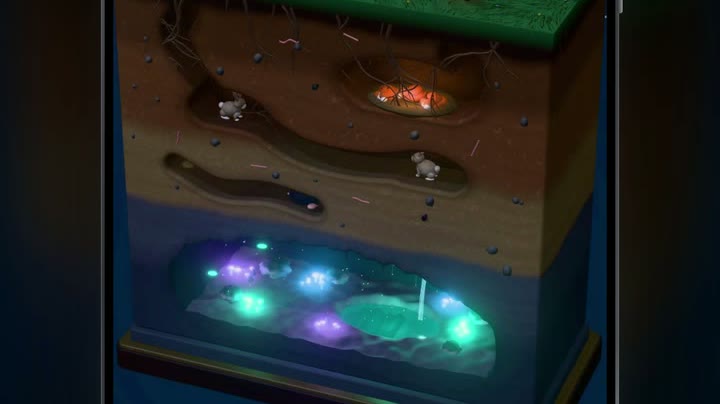
This is the wallpaper at the top of the page. A block of forest floats in the dark under a starry sky, with a pale moon at the left edge. On the grass, rabbits and foxes move between the trees while fireflies drift above them. Under the grass, rabbits run along their burrows, and a den glows orange in the soil. At the bottom of the block, a cave of purple and teal crystals lights up a small pool.
The "09" sits on the night sky, the tops of the pine trees rise behind the "41", and the date line rests on the edge of the grass. The block itself fills the middle and lower part of the screen.
Moon base
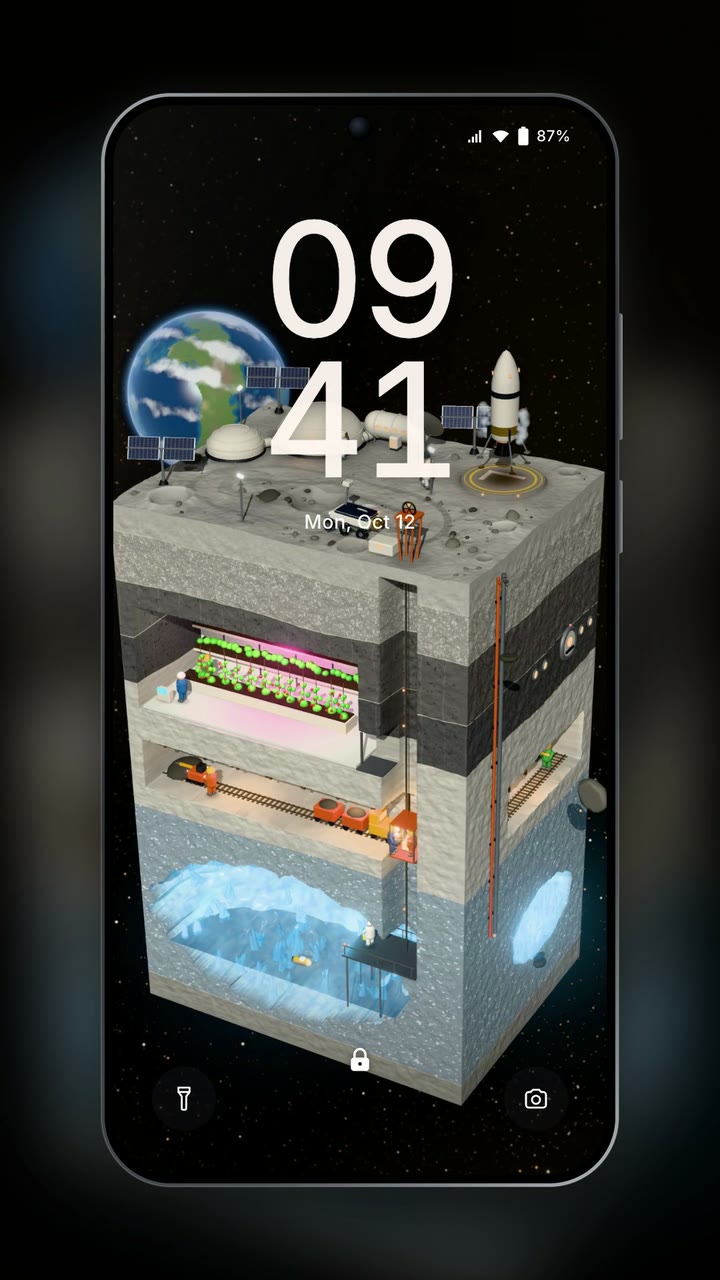
This one has the most detail of the four. The top of the block is grey Moon rock with craters, white domes, solar panels and a small rover, and the Earth hangs in the black sky behind it. On the right, a rocket rises from its landing pad on a jet of flame, then settles back down. Inside, there is a greenhouse under pink grow lights, a mine tunnel where small carts roll along rails, a lift shaft, and an ice cave at the bottom.
The clock is drawn over the domes and the solar panels, which are white too, so the "41" stands out less than on the forest. The inside of the block makes up for it: the carts and the people in the base keep moving.
Volcano by the sea

The volcano is cut in half, so you see the magma chamber at the bottom, its crust cracked and glowing, and the channel that carries the lava up to the crater. Sparks spray out of the top in a steady fountain. Thin orange cracks run through the rock layers, with a few purple crystals here and there. On the right side of the block, a few small boats float on a dark sea.
The plume of sparks rises behind the "09", and the rest of the clock sits over the dark slope and the sea. It has the warmest colors of the four, a deep red background that stays dark around the edges.
Ice floe under the aurora

Green northern lights hang across the top of the screen. Below them, an igloo sits on an ice floe among a few floating pieces of ice. Under the floe, a tall block of dark water fills the screen down to the sea floor, where an orange dome glows next to a small submarine. Whales glide through the water between the two, and the light of the aurora falls through it in long green rays.
The "09" sits on the bright green of the aurora and the "41" over the igloo, so the clock is lit from behind. Of the four, this is the calmest: the lower half of the screen stays dark blue, which leaves room for icons.
Why tiny worlds work as a live wallpaper
A miniature world packs several small scenes into one screen, so you keep finding details you missed, like a rabbit in a tunnel or a whale crossing the water. The motion is spread across these details instead of moving the whole picture, which makes it easy to live with on a phone you unlock many times a day.
The four wallpapers above also keep a dark background around the block. On an OLED screen, dark pixels use less power than bright ones. For the full picture on battery use, read Do Live Wallpapers Drain Battery? Live vs Static Compared.
How to set a miniature world live wallpaper on Android
- Install VisionAI from Google Play and sign in.
- Open the Marketplace and pick the Mini World category.
- Tap a wallpaper to watch its preview. The preview is a lighter SD copy; the wallpaper you get is in HD.
- Tap Get HD — watch a short video. When the video ends, Android's wallpaper screen opens by itself. With the one-time "no ads for life" purchase, the button reads Set as wallpaper (HD) and there is no video.
- Confirm there. Depending on your phone, you can choose the home screen, the lock screen, or both.
The step-by-step guide to the Android settings is in How to Set a Live Wallpaper on Android with VisionAI.
Make your own tiny world
If you have a picture of a diorama, a model railway or a tilt-shift photo of a town, VisionAI can animate it with its AI engine:
| Setting | What you choose |
|---|---|
| Photo | Your image, in JPG or PNG |
| Format | Portrait 9:16 in the Android app |
| Prompt (optional) | The motion you want, for example "the little train moves along the track, smoke rises from the chimneys" |
| Length | 5 seconds (10 credits) or 10 seconds (20 credits) |
| Loop | Tick Try a seamless loop to aim for an end close to the start |
Keep the motion small and regular, like a train on its track or smoke from a chimney. That kind of motion also gives the loop option its best chance, though the result still depends on the photo. The full walkthrough is in How to Create AI Animated Wallpapers from Any Image.
Frequently Asked Questions
Is this the Mini World game? No. Mini World is the name of a category of the VisionAI Marketplace: animated miniature scenes, not wallpapers from the game.
Are these wallpapers HD? Yes. The Mini World wallpapers are portrait videos in HD. The preview you watch in the app is a lighter copy, and the wallpaper you set is the HD version.
Can I preview a wallpaper before I get it? Yes. In the app, every wallpaper of the category plays its preview when you open it.
Will the wallpaper cover my clock? On the forest, the "09" sits on the night sky and the pine trees rise behind the "41". On the volcano, the sparks rise behind the "09", and on the ice floe the aurora lights the clock from behind. On the Moon base, the clock is drawn over white domes, so it is the least sharp of the four. Watch the preview of each one before you pick.
To put a tiny forest or a Moon base behind your clock, install VisionAI from Google Play and open the Mini World category.
See also:
- Space Live Wallpapers for Android: 4 Picks in Motion
- How to Set a Live Wallpaper on Android with VisionAI
Get VisionAI on Android
Create AI-animated live wallpapers directly from your phone — upload, generate, and set your wallpaper without leaving the app.